The store will not work correctly when cookies are disabled.
We are closed: From Friday 21st of August until Tuesday 25th of August. Your orders will then be shipped the following Monday (or Thursday). We thank you for your understanding.
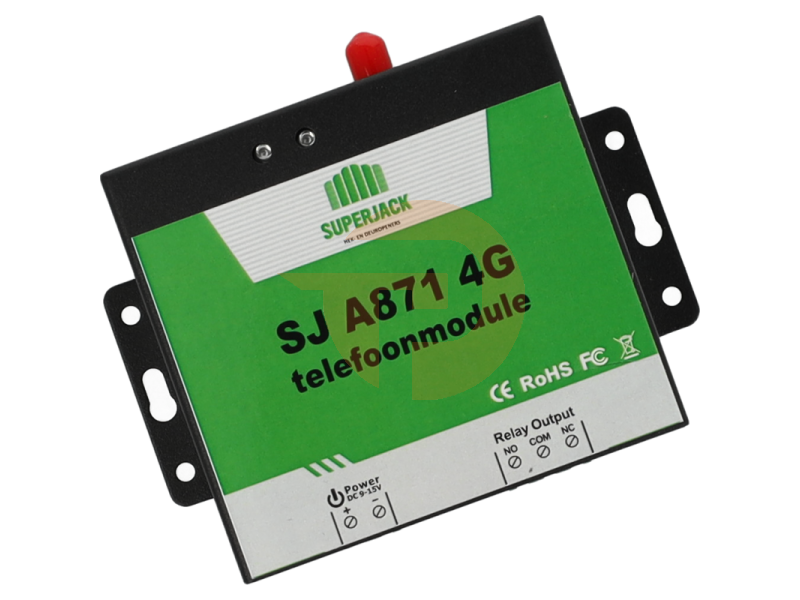
SuperJack SJ A871 4G GSM Opener — Open remotely, manage like a pro
No more hassle with lost remotes or range issues. With the SuperJack SJ A871, you can operate your gate, gate, garage door, or barrier via the mobile network (4G/LTE). Simply call or text, and the opener activates instantly. Easy to program, robust in use, and ideal for businesses, homeowners' associations, and private individuals.
Why this opener?
4G/LTE connectivity —reliable range, even where RF remote controls fall short.
Up to 200 authorized users —easily manage who has access.
1 powerful relay output —suitable for gate openers, garage doors, and barriers, among other things.
SIM card included —ready for immediate use after installation and activation.
Remote management —add or remove users from anywhere.
Programs like a remote control — Simple, fast, and without complex software.
How does it work?
Power the module according to the manufacturer's specifications and REPLACE the included prepaid SIM card.
Set the administrator number (usually your own mobile number) via the first configuration command via SMS.
Connect the relay output to the start/impulse input of your opener (gate/gate/garage door/barrier).
Authorize users by adding their phone numbers. Only authorized numbers can activate the system.
Call or text = open: A short (missed) call or text triggers the relay and activates the drive.
Tip: Internally record who the administrator is and create a short instruction for colleagues/residents. This way, you can keep user management organized and organized.
Quick programming (step-by-step plan)
Turn on the opener and wait until the network is registered (status LED/indicator).
Send the administrator configuration command to the opener via SMS (see manual).
Add additional numbers with the add user command.
(Optional) Set access options, such as opening by phone call or SMS, and any time windows.
Test: Call an authorized number and check whether the relay switches.
Note: The exact SMS commands and syntax are in the included manual. Follow it step by step for error-free configuration.
Practical scenarios
Company & suppliers: grant drivers temporary access; remove numbers afterwards.
Homeowners' Association & residents: centrally manage resident numbers; no hassle with batteries or extra transmitters.
Service & Maintenance: Give technicians remote access without being physically present.
... and programming